
Intelligent automation, built to scale
Compose, control and connect your workflows with an advanced orchestration solution.
-

Resilient job scheduling
Use centralized dynamic scheduling and purpose-built machine learning to ensure your workflows run on schedule and proactively identify SLA risks.
-

Flexible, broad integration
Integrate faster with hybrid-ready, agentless and bi-directional integrations, a comprehensive connector library and no-code UI.
-

Customized observability
Get actionable insights for visualization and analysis in addition to role-based dashboards for SLA and performance monitoring.
-

AI for the automation lifecycle
Embedded intelligent assistants save users hours in development, reduce risk and maximize productivity.
-

‘Round-the-clock support
Protect your business-critical processes with 24/7 support for critical workloads and upskill your team with on-demand training and certifications.
-

A small resource footprint
Choose on-premises or cloud deployment to centralize workflow management based on your requirements..

Automate any process, connect any system
Access the advantages of a true SaaS workflow orchestration platform. With automatic updates, new integrations as soon as they’re available and 24/7 monitoring across regions, your critical workloads run reliably without added overhead.
Your dedicated environment is secured to the highest standards, including ISO and SOC certifications, while value-based pricing gives you predictability and unmatched flexibility.
Grow without the limitations of legacy systems.

Unify diverse workloads in a single data pipeline
Orchestrate data flows using cloud-native connectors, open APIs and secure gateways. Connect everything from SaaS and PaaS applications to legacy systems, ETL processes, resource provisioning and data processing—your way.
With built-in integrations for ERP, productivity and service platforms, plus support for REST, SOAP, OData and more, RunMyJobs simplifies complex workflows while keeping connectivity lightweight, secure and scalable as your needs grow.

Drive better decision-making with workflow observability
RunMyJobs turns data into clarity, insights into action:
- A complete understanding of your critical business process health and performance
- Dashboards with dynamic views for specific roles and tasks
- Unique widgets and data visualizations enhanced with smart narratives
- “Click-to-configure” capabilities that make it easy to jump from analytics to configuration
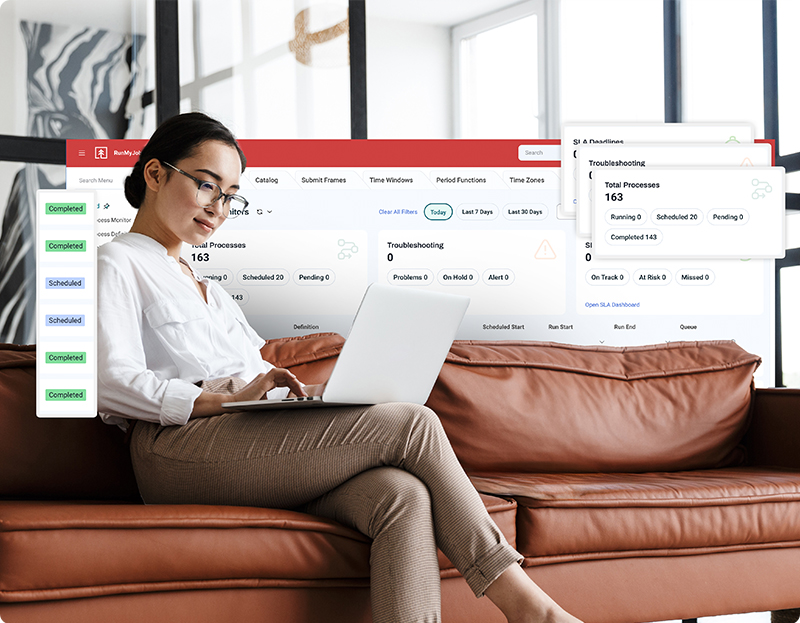
Design workflows using built-in flexibility
Use a modular, programmatic approach that’s easy to update as business needs change. Get started fast with pre-built templates and centrally managed integrations, then add conditions, triggers and planning views to create stable, repeatable processes.
Developers can extend workflows with forms, reporting and custom logic while reusing components to reduce technical debt. Deliver automation that works today and adapts tomorrow.
Reliable orchestration for your use case
Replace manual effort with an automation architecture that can carry your enterprise into the future.
-
SOAPs
Explore SOAP CapabilitiesSee how the right SOAP can unify workflow orchestration, provisioning and governance at scale.
-
SAP job scheduling
SAP and RunMyJobsMake the most of your SAP investment with the deep integration provided by an SAP Endorsed App.
-
DevOps automation
DevOps OverviewEmbed orchestration into CI/CD pipelines with APIs, DAGs and connectors that simplify software development.
-
Self-service automation
Self-Service AutomationEmpower business users with low-code/no-code automation while your IT team retains control.
-
Monitoring
Monitoring OverviewGet real-time visibility into workloads and performance metrics, with predictive alerts and error handling.
-
Managed file transfer (MFT)
Managed File TransferSecurely orchestrate file-based workflows and reduce risks with embedded MFT capabilities.

Boundless extensibility
Achieve out-of-the-box workflow orchestration with cloud-native connectors and open integration via REST, SOAP, OData and more. All connectivity runs through a secure gateway with minimal deployments of a featherweight agent.
RunMyJobs includes built-in integrations for:
- Enterprise resource planning (ERP)
- Business productivity
- Data center management
- Data management
- People and human resources
- Service management
Workflow orchestration FAQs
What is workflow orchestration?
Workflow orchestration refers to the automated management and coordination of tasks within a workflow or process. It ensures that each step in a sequence of operations is executed in a predefined order, often involving complex processes or data pipelines. This automation is crucial for optimizing efficiency, reducing human error and integrating various technologies like cloud-based services, microservices architecture and tools such as Docker or Kubernetes. By automating workflows, organizations can streamline operations, improve scalability and enhance overall productivity.
Learn more about workflow orchestration and its role in service orchestration and automation platforms.
What is process orchestration?
Process orchestration involves automating and coordinating a series of interdependent tasks or workflows across a tech ecosystem. It ensures that business processes, from simple to complex, are executed efficiently and reliably. By leveraging tools like Apache Airflow or other workflow orchestration tools, organizations can streamline operations, optimize resource allocation and enhance visibility into critical processes. With well-executed orchestration, it’s easy to meet business needs, reduce bottlenecks and integrate new technologies such as artificial intelligence and microservices architecture to drive digital transformation.
Explore process orchestration and how using a low-code solution like RunMyJobs makes it easy to build, automate and deploy workflows.
What is the difference between workflow orchestration and automation?
Workflow orchestration refers to coordinating and managing complex sequences of tasks or processes across different systems and stakeholders. It involves setting up and executing workflows in a structured manner, often integrating various tools and technologies to ensure smooth operation.
On the other hand, automation focuses on the execution of specific tasks or processes without manual intervention. It simplifies repetitive tasks by implementing predefined rules and triggers, enhancing efficiency and reducing human error.
While automation handles individual tasks, workflow orchestration manages the flow and dependencies between multiple tasks or processes, ensuring comprehensive control and optimization.
See how RunMyJobs lets you centralize and optimize any IT or business process.
What is workflow automation?
Workflow automation involves using technology to streamline and automate repetitive tasks and processes within an organization. It aims to replace manual intervention with predefined rules and conditions, allowing tasks to be executed automatically based on triggers such as time, events or data inputs. Automating workflows enhances efficiency by reducing human error, optimizing resource utilization and accelerating the overall pace of operations. Key components often include integrating various apps, managing approvals and ensuring visibility into process status through notifications and observability tools.
With a cloud-based platform for workflow automation that seamlessly coordinates processes across IT and business domains, organizations are empowered to swiftly develop new services and applications and expand as needed. Top workflow automation platforms leverage pre-built templates, wizards, calendars and schedules and automate virtually anything using over 25 scripting languages and user-friendly interfaces.
Read the ultimate guide on workflow automation and how to benefit from it.