Extending the value of SAP Cloud ALM with automation observability using RunMyJobs
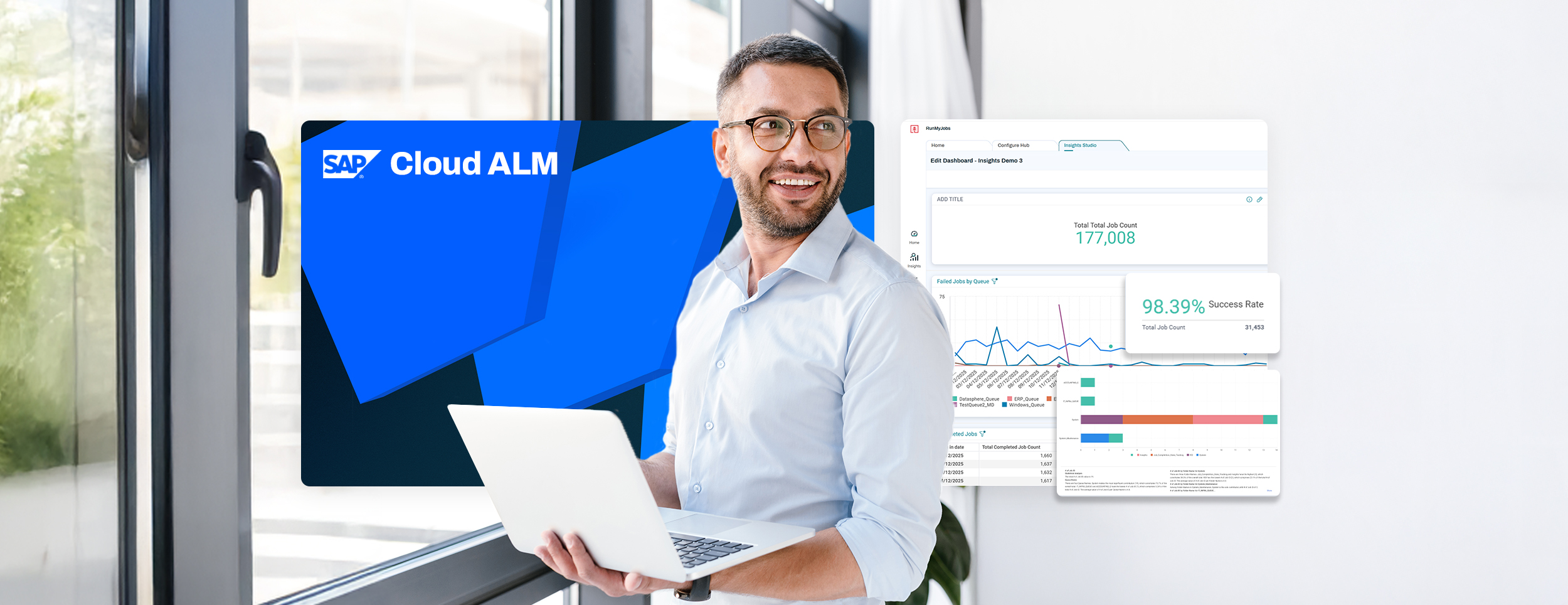
I’ve spent most of my career working closely with SAP customers who are running complex, automated landscapes. Over time, one challenge has kept coming up in different forms: operations teams don’t lack data — they lack context.
As automation grows across SAP and non-SAP systems, there’s a risk that operational visibility becomes fragmented. Process and transactional execution data lives in one place, application health in another and incident handling somewhere else entirely. When something goes wrong, teams may spend more time switching tools than actually resolving the issue.
That’s why, as SAP Product Lead, I was personally committed to shaping how RunMyJobs by Redwood integrates with SAP Cloud ALM. The goal wasn’t to add another dashboard, but to make sure SAP operations teams can see what matters, from where they already work.
Transparent observability across SAP and automated workloads
Traditional monitoring happens in individual tools and is good at telling you that something failed. True observability helps you understand why, whether it matters and how and where to access the issue for resolution.
In SAP-centric environments, SAP Cloud ALM is increasingly becoming the control center for operations, especially for RISE with SAP and cloud-focused landscapes. It provides health monitoring, alerting and root-cause analysis across applications and services.
As automation and orchestration become a core part of how SAP business processes run, extending that same level of transparency to automated workloads is a natural evolution. RunMyJobs contributes execution-level insight for background jobs and workflows that support SAP processes, making that information available and actionable directly from a single point of control — within SAP Cloud ALM — and expanding its operational visibility beyond application-level monitoring.
What the SAP Cloud ALM connector for RunMyJobs does
The SAP Cloud ALM connector for RunMyJobs synchronizes automation and orchestration data directly into SAP Cloud ALM Job and Automation Monitoring.
In practical terms, this means:
- Job definitions, workflows and execution status from RunMyJobs are pushed into SAP Cloud ALM
- Operations teams can monitor SAP and non-SAP background processes in one place
- Failures, delays and abnormal statuses are visible without switching tools
- It’s easy to drill back from SAP Cloud ALM to RunMyJobs to take action and resolve issues
You get a single operational view inside SAP Cloud ALM, eliminating the need to jump between systems to understand health, performance and where issues need to be resolved.
The impact on day-to-day operations
For SAP operations teams, the integration reduces friction in a few concrete ways:
- Faster triage: Job failures and workflow bottlenecks are visible where incidents are already managed.
- Less context-switching: No need to check separate tools just to confirm job status.
- Clear accountability: Automation health is part of the broader SAP operational picture.
This is especially useful for customers standardizing on SAP Cloud ALM as they move further into cloud operations.
Setting up the integration
The setup is designed to be simple and aligned with how SAP operations teams work.
From the RunMyJobs side, configuration consists of:
- Installing the SAP Cloud ALM connector from the RunMyJobs Connector Catalog
- Setting up the connection to SAP Cloud ALM with its endpoint and authentication parameters
- Scheduling the SAP Cloud ALM synchronization job provided with the connector, with the option to define a custom schedule for synchronization updates (e.g., every five minutes)
Once configured, RunMyJobs automatically synchronizes job definition and job run data to SAP Cloud ALM on an ongoing basis. No manual exports or custom monitoring scripts are required.
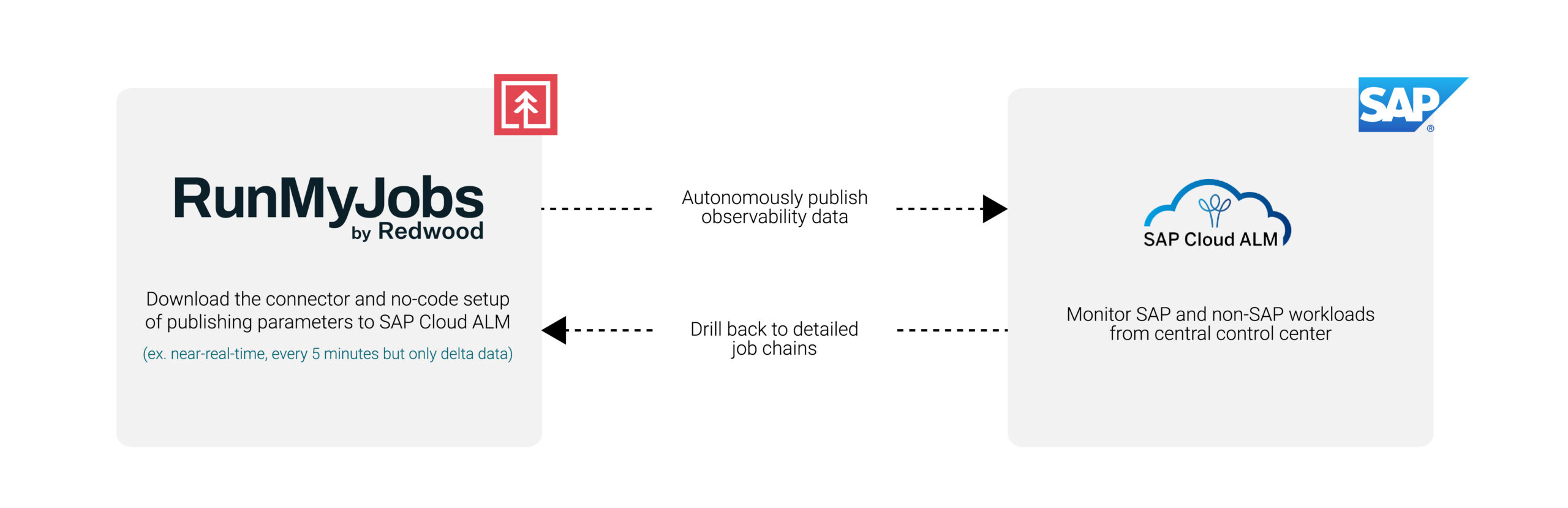
SAP Cloud ALM becomes the command center, while RunMyJobs remains the orchestration system.
In the demo below, you’ll see:
- How to install the SAP Cloud ALM connector from the RunMyJobs Connector Catalog
- How to set up the connection to SAP Cloud ALM
- How to schedule the SAP Cloud ALM synchronization job provided with the connector
- How RunMyJobs jobs appear in SAP Cloud ALM monitoring views
- How operators can access RunMyJobs directly from SAP Cloud ALM with a simple click to initiate deeper analysis and resolution
Bridge the visibility gap
Extending SAP Cloud ALM to include automation workloads acknowledges the evolution of SAP landscapes into hybrid cloud, AI-enabled ecosystems, where automation is foundational and orchestration is key.
This connector is another representation of Redwood Software’s long history as a roadmap-aligned, SAP Endorsed App partner. It enables SAP customers to bring automation execution transparency into SAP Cloud ALM in a way that feels native, operationally consistent and easy to adopt.
Ready to enhance observability even further? Explore more updates released in RunMyJobs 2026.1.
About The Author

Sven Kohlhaas
Sven Kohlhaas is Vice President – SAP Product Lead at Redwood Software. He is responsible for the global success and evolution of Redwood’s SAP-related product portfolio, helping organizations orchestrate complex business processes across their SAP and non-SAP systems. His vision is to drive operational excellence by empowering enterprises to maximize the value of their technology investments.
With almost 20 years of experience in the IT industry, most of which at SAP in high-impact product and engineering roles, Sven is a seasoned leader with unique subject-matter expertise. His background spans enterprise software, service orchestration and automation, SaaS and PaaS cloud platforms, GenAI and ERP systems. This deep technical foundation allows him to bridge the gap between legacy environments and next-generation cloud architectures.

