Bringing enterprise orchestration to SAP Build workflows: New RunMyJobs connector and SAP Business Accelerator Hub integration package
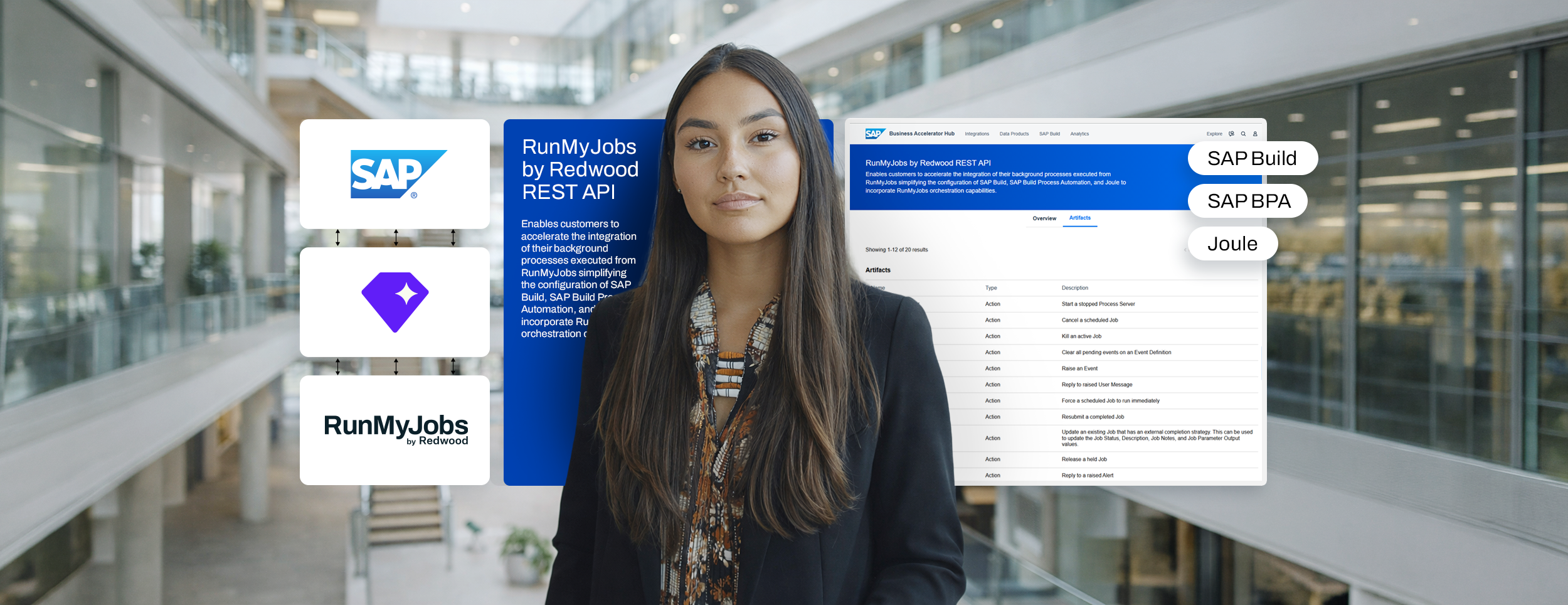
When SAP introduced SAP Build at the SAP TechEd conference in 2022, the message was deliberate: automation shouldn’t require a developer. Business users, those who understand the processes, should have the tools to design workflows, automate decisions and remove manual effort from everyday tasks without writing code.
SAP Build brings together a number of capabilities on SAP Business Technology Platform (BTP): SAP Build Apps and Code for application development, SAP Build Work Zone as a portal service and SAP Build Process Automation (SAP BPA) for workflows and robotic process automation (RPA). SAP BPA merges the previous SAP Workflow Service and SAP Intelligent Robotic Process Automation (iRPA) into a single, low-code offering for workflow management — and it’s where automation becomes more accessible, more contextual and more aligned with how business teams actually work.
But accessibility at the task level creates a new operational question. Once SAP BPA is running at scale, the conversation shifts from “What can it automate?” to “How reliable, secure and efficient is the automation?” Workflows need to be sequenced, governed and run reliably across multiple systems, teams and dependencies. That’s where the design of individual automations meets the reality of enterprise process orchestration. With Redwood Software’s new SAP BPA connector and RunMyJobs by Redwood REST API actions now available in the SAP Business Accelerator Hub, that connection is now bi-directional and more accessible than ever.
Separate by design, connected by purpose
SAP BPA is designed to build custom task-level automation for common and repetitive tasks. Think of processes like:
- Extracting invoice data and posting it into SAP
- Uploading journal entries from spreadsheets
- Parsing contract terms and triggering follow-up actions
These steps are focused on a specific function or interaction. It’s important to look at how they operate within broader business processes.
For example, order-to-cash doesn’t start and stop with a single workflow. A financial close isn’t just a sequence of approvals. Supply chain execution depends on precise timing, cross-system dependencies and conditions being met upstream before the next step can begin.
SAP BPA is well-suited to automating the tasks and user-driven workflows within those processes. RunMyJobs complements this by orchestrating the end-to-end process those tasks belong to — coordinating execution across systems, managing dependencies and ensuring every step runs at the right time, in the right sequence, with full process visibility and control.
Extending SAP BTP without fragmenting your processes
This relationship becomes especially relevant as SAP customers move deeper into cloud transformations through RISE with SAP and SAP BTP adoption. SAP’s clean core principle encourages organizations to move extensions, integrations and custom logic out of the ERP core and onto SAP BTP, where they can be maintained without disrupting the core system. SAP BPA fits naturally into this model, as it lives on SAP BTP and allows process logic to be built and maintained there rather than embedded inside the ERP.
But moving logic to SAP BTP doesn’t automatically communicate it to the end-to-end processes that logic belongs to. An SAP BPA workflow running on SAP BTP still needs to be triggered at the right moment, handed off correctly to downstream steps and governed as part of a larger orchestrated flow.
RunMyJobs provides that orchestration layer. As the only orchestration platform that is both an SAP Endorsed App and included in the RISE with SAP reference architecture, RunMyJobs coordinates execution across SAP and non-SAP systems without requiring custom code in the core or local installation of third-party software inside the ERP. It maximizes the return on your SAP investment.
The SAP Build Process Automation connector for RunMyJobs
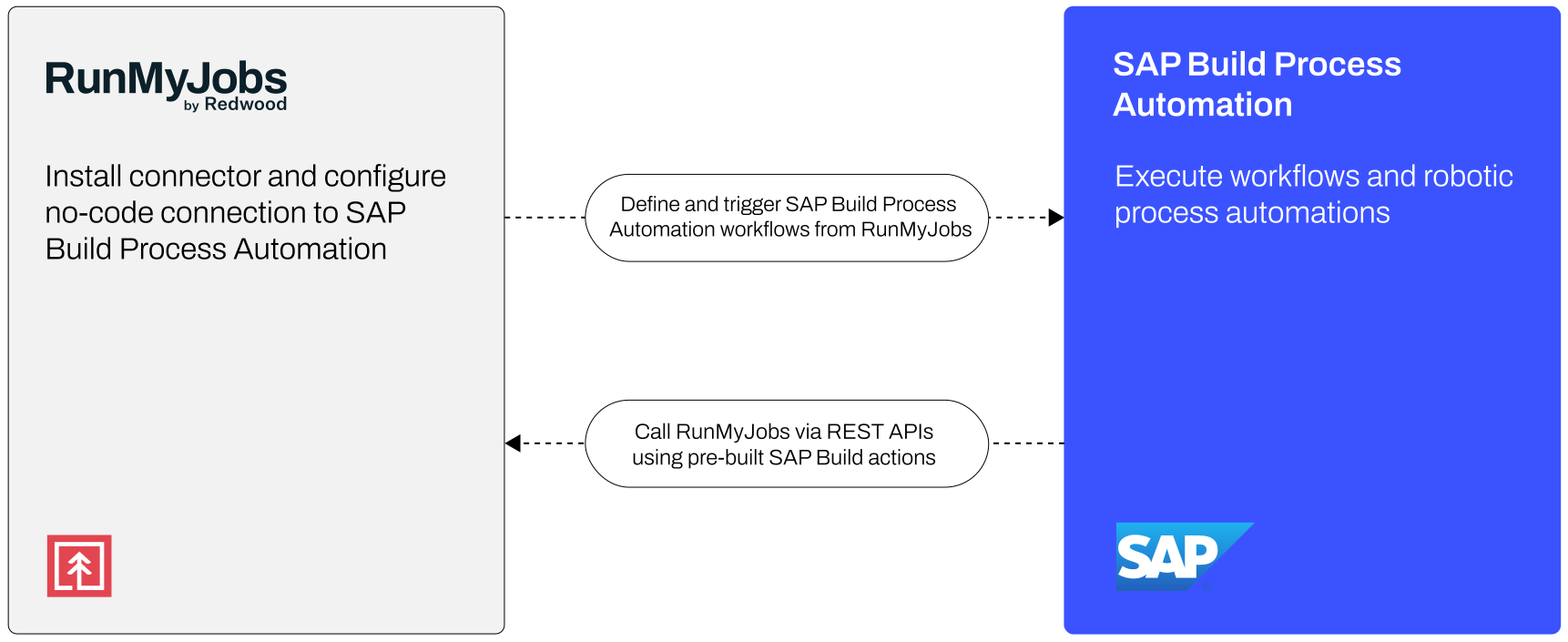
The SAP BPA connector for RunMyJobs makes this integration concrete and operational. With the connector installed, you can incorporate SAP BPA workflows directly into larger orchestrated business processes.
In practice, across a range of use cases, that means you can:
- Trigger SAP BPA workflows as a step within a broader RunMyJobs process chain
- Use the outcome of an SAP BPA workflow to drive downstream dependencies across systems
- Coordinate SAP BPA automations alongside SAP ERP jobs, file transfers, data pipeline steps and non-SAP workloads
- Monitor SAP BPA workflow execution alongside every other step in the process from a single platform
- Leverage pre-built, enterprise-grade automation activities that include the security, governance and guardrails required for mission-critical processes
- Extend these workflows into SAP Joule scenarios by invoking RunMyJobs as part of Joule skills and agents
Rather than treating SAP BPA as a standalone automation tool, you embed it into the processes it supports. Instead of building workarounds to connect SAP BPA to the rest of your automation landscape, you can let the connector handle that.
Available in the SAP Business Accelerator Hub
The integration goes further than a single connector. RunMyJobs’ REST API and pre-built SAP Build actions are now published in the SAP Business Accelerator Hub, making it easier for teams building on SAP BTP to incorporate RunMyJobs orchestration capabilities directly into their SAP Build applications, workflows and extensions.
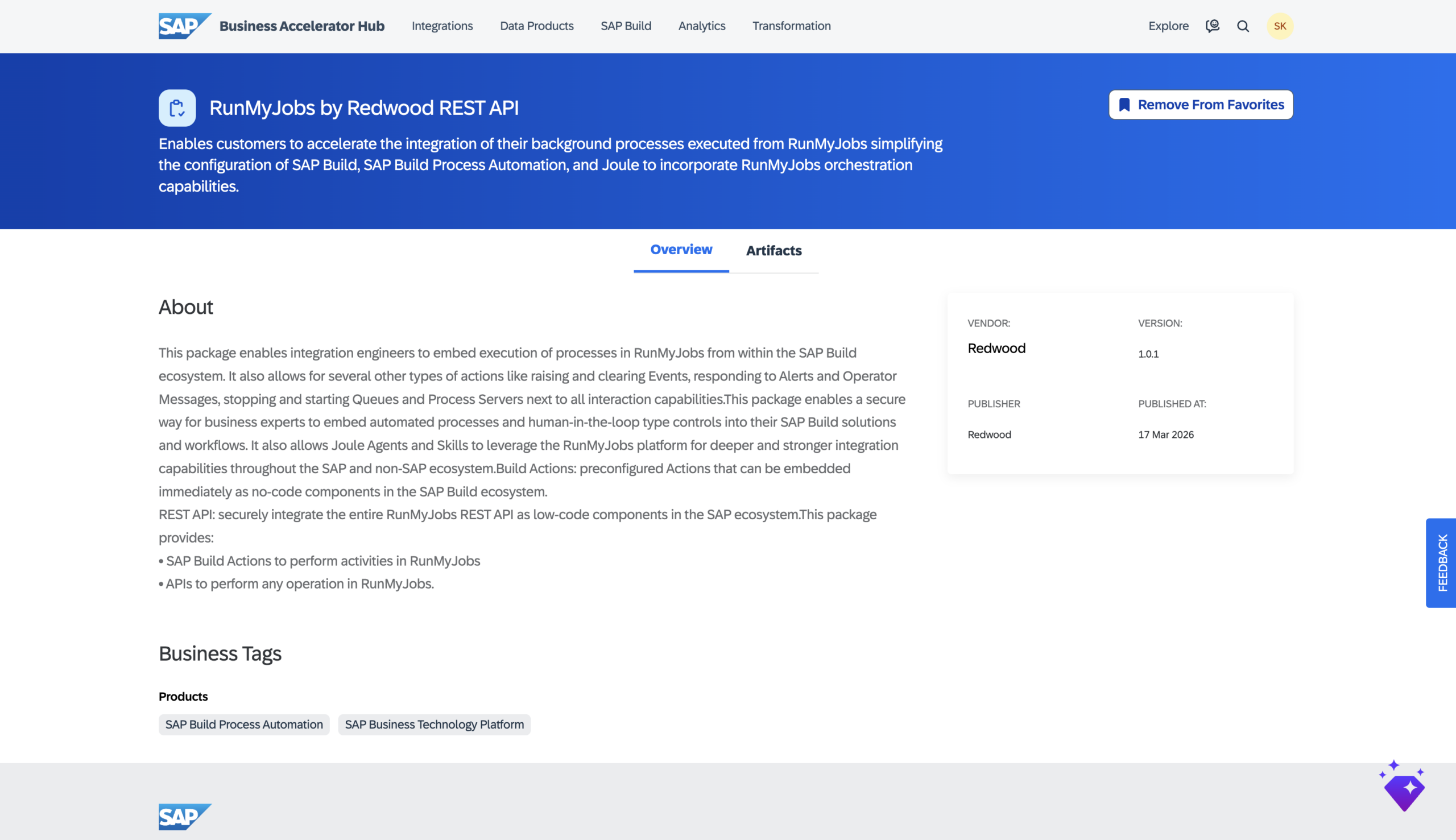
This has a few practical implications:
- It lowers the barrier for SAP BTP development teams and citizen developers. Instead of building custom integrations from scratch, you can invoke RunMyJobs capabilities directly as no-code components within SAP Build and Joule Studio. Pre-configured actions are available immediately, and the full REST API is accessible as low-code components for more advanced scenarios.
- It reflects a shared vision and aligned roadmap with SAP. Inclusion in the SAP Business Accelerator Hub means these integrations are designed to work within SAP’s extension framework, consistent with clean core principles and SAP BTP development standards.
- It enables true bi-directional integration:
- RunMyJobs can trigger and orchestrate SAP BPA workflows as part of larger business processes
- SAP Build applications and workflows can call RunMyJobs capabilities — raising and clearing events, responding to alerts, managing queues and more — directly from within the SAP BTP ecosystem
- SAP’s Joule can incorporate RunMyJobs into AI-driven scenarios, allowing development teams to embed proven, enterprise-grade orchestration into Joule agents and skills without additional coding or customization
Configuring the connector
Setup is designed to be straightforward and aligned with how SAP and RunMyJobs environments are typically managed.
From the RunMyJobs side, configuration consists of:
- Installing the SAP BPA connector from the RunMyJobs Connector Catalog
- Configuring the connection using SAP BPA endpoints and authentication
- Incorporating SAP BPA workflows as steps within orchestrated process definitions in RunMyJobs
Once configured, SAP BPA workflows become fully governed participants in your broader automation landscape. They can be scheduled, triggered by events, monitored for success or failure and coordinated with every upstream and downstream dependency across your systems.
Distributed automation needs a control plane
As SAP customers move to SAP Cloud ERP, RISE with SAP and SAP BTP, process logic is becoming more distributed across services, extensions and applications. This brings flexibility but also a new requirement: those processes still need to run as one.
RunMyJobs addresses this by connecting SAP BPA workflows with the broader processes they belong to, orchestrating execution across systems, managing dependencies and ensuring that distributed automations operate as a single, reliable flow. It allows you to extend on SAP BTP without fragmenting how processes are executed or governed.
Automation at the task level is only part of the equation. Proven and efficient orchestration is what makes it enterprise-grade.
See the RunMyJobs integration package in the SAP Business Accelerator Hub.
Explore the SAP BPA connector for RunMyJobs, or browse all SAP connectors.
About The Author

Sven Kohlhaas
Sven Kohlhaas is Vice President – SAP Product Lead at Redwood Software. He is responsible for the global success and evolution of Redwood’s SAP-related product portfolio, helping organizations orchestrate complex business processes across their SAP and non-SAP systems. His vision is to drive operational excellence by empowering enterprises to maximize the value of their technology investments.
With almost 20 years of experience in the IT industry, most of which at SAP in high-impact product and engineering roles, Sven is a seasoned leader with unique subject-matter expertise. His background spans enterprise software, service orchestration and automation, SaaS and PaaS cloud platforms, GenAI and ERP systems. This deep technical foundation allows him to bridge the gap between legacy environments and next-generation cloud architectures.