New agentic AI capabilities and AWS connector updates in RunMyJobs 2026.4
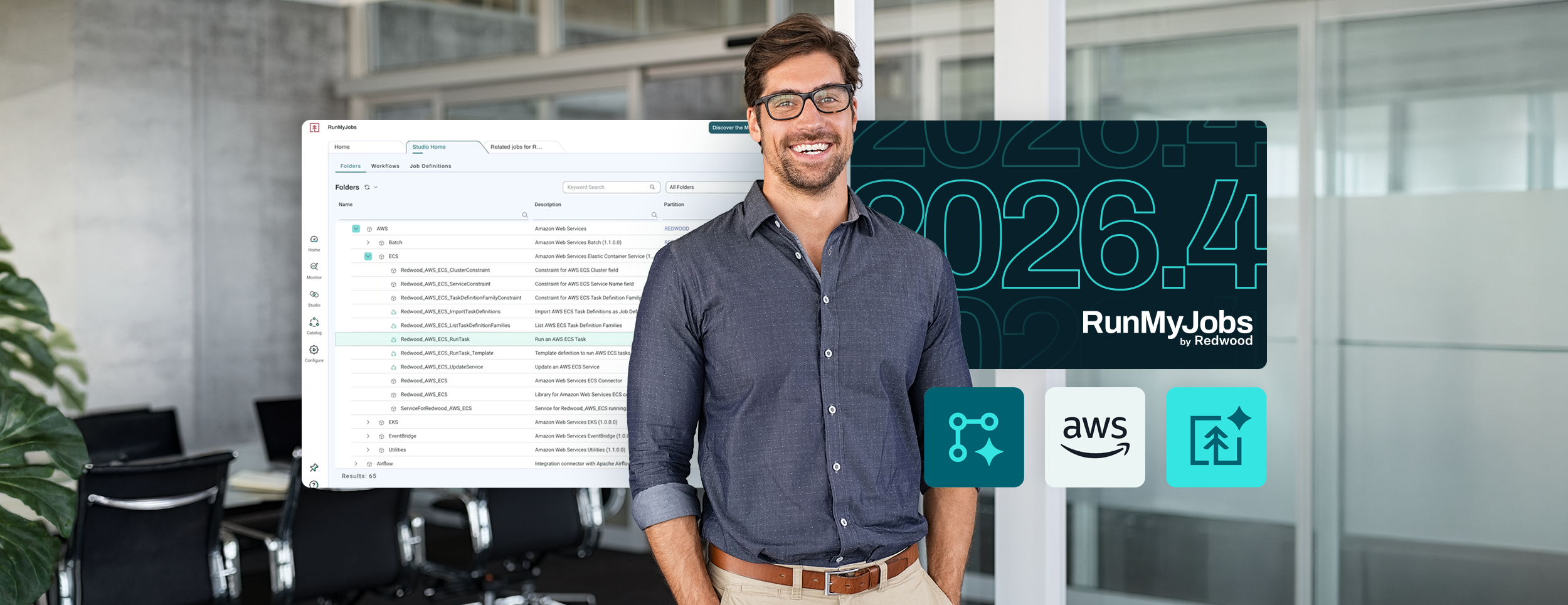
The latest release of RunMyJobs by Redwood gives your automation team more ways to use AI in their everyday work, from building workflows to investigating failures. It also expands the AWS connector catalog to help you keep cloud workloads coordinated with processes running across the rest of your business.
AI for enterprise workflow automation
RunMyJobs 2026.4 introduces four agentic AI capabilities:
- Agent Studio for building reusable AI agents
- Workflow Builder for authoring and editing automation in plain language
- Operations Agent for monitoring with context
- An enhanced Model Context Protocol (MCP) Server for connecting AI assistants to your automation environment
All four use the security partitions, role-based access controls (RBAC) and audit model already in place in RunMyJobs.
Workflow Builder and Agent Studio: Development to execution
Workflow Builder turns a plain-English description or an uploaded Markdown file into a workflow draft you can review, using the objects already in your environment. You can also use it to explain, edit and optimize existing workflows.
Agent Studio lets you build reusable agents that run as steps within your workflows. The guided setup walks you through choosing a model, defining instructions and granting access to specific tools from connected MCP servers, with token and runtime limits to control resource use. Before publishing, you can test the agent under the same controls used in production, while write actions are simulated. These agents can investigate exceptions and resolve recognized cases within the permissions you’ve granted, then escalate unfamiliar cases for human review with the investigation attached. Your teams stay in charge of consequential decisions while spending less time gathering the information necessary to make them.
Learn more about how these capabilities reduce development delays and help teams handle exceptions.
Operations Agent: The context you need to respond
To respond to a failed job, engineers need to understand what happened, which processes are affected and what to do next. The Operations Agent monitors your environment continuously and includes that context in the notification:
- Failure with context: The reason from the execution log, downstream jobs at risk and a suggested first action
- Cascade grouping: A single notification for dependent failures that accelerates root-cause analysis
- Ranked shift-start summary: A digest of overnight exceptions so the incoming team can see where to focus
For further investigation, select “Analyze with Ops Agent” on a job in the monitor and ask questions in plain language. The chat opens with the job’s context and draws answers from the RunMyJobs MCP server. It can also include relevant information from systems such as ServiceNow, where an administrator has connected external MCP servers.
In this release, the Operations Agent provides context and recommendations while your team takes action. It enriches alerts and answers questions to help operators understand issues and respond sooner, laying the groundwork for autonomous remediation as the longer-term direction.
MCP Server: Connect AI assistants to enterprise workflows
The enhanced MCP Server gives MCP-compatible AI clients governed access to the complete range of RunMyJobs operations. It supports Microsoft Copilot, Anthropic Claude and SAP’s Joule.
Through that connection, an assistant can submit, monitor, cancel and restart jobs and workflows, invoke agents built in Agent Studio, manage events, inspect infrastructure health and promote changes between environments. A developer could promote a build through Claude Code from their development environment, all without a bespoke API integration project.
Your teams can use their existing AI tools to access approved business processes, with each call following RunMyJobs permissions and appearing in the audit trail. You retain control over which systems those tools can reach and what they can do.
Connect AWS workloads to the rest of your business
AWS services such as Step Functions, EventBridge and managed Airflow may already handle significant parts of your cloud automation. Coordinating that work gets more complicated when those workloads depend on transactions in SAP and other ERP systems, a file arriving on premises or a task completing in another cloud.
RunMyJobs manages these dependencies across the full process, reducing the scripts and scheduled checks that teams otherwise maintain between systems. The expanded AWS connector catalog brings more services into that orchestration model, with shared visibility into execution, SLA requirements and audit records.
What’s new in 2026.4
Four connectors join the catalog in this release:
- Amazon ECS: Run, monitor and control containerized tasks and services from job chains. One connector covers both Fargate and EC2 launch types.
- Amazon SNS: Publish messages and manage topics and subscriptions as job steps, allowing completion and failure notifications to reach multiple downstream consumers.
- Amazon RDS: Run SQL and manage instance and cluster operations, including start, stop, snapshot and restore. Scheduling supported databases around batch windows can help reduce unnecessary runtime.
- Amazon EKS: Scale and patch EKS node groups and run Kubernetes jobs as governed workflow steps, reducing reliance on separately maintained scripts.
With these connectors, you can manage more steps of the same process directly in RunMyJobs. For example, you could wait for an ECS task to finish before starting an RDS operation, then use SNS to notify the owning team of the outcome, with the dependencies managed in the job chain.
The full AWS catalog
The expanded catalog covers the following service categories, so you can add new services to the workflows you already manage:
| Service category | Connectors |
|---|---|
| Compute | EC2, Lambda, Batch |
| Containers | ECS (Fargate and EC2 launch types), EKS |
| Data movement | S3, DataSync, AppFlow, Glue |
| Databases | RDS |
| Managed pipelines | MWAA (managed Airflow) |
| Messaging and eventing | EventBridge, SQS, SNS |
| Workflow | Step Functions, Simple Workflow Service |
The connectors use an agentless architecture, so you don’t need to deploy any software, virtual machines or other infrastructure to start including these services in your workflows. As your AWS usage grows, you can extend orchestration easily, without complex change requests or additional costs.
Put the new features and connectors to work
With RunMyJobs 2026.4, you can introduce AI into the workflows your team already knows and bring more AWS services under the same operational controls. Start with the work that takes the most time today, whether that’s building automation, investigating failures or maintaining connections between systems.
Explore agentic orchestration in RunMyJobs to see how these capabilities can support your team and the next phase of your digital transformation goals.
About The Author

Dan Pitman
Dan Pitman is a Senior Product Marketing Manager for RunMyJobs by Redwood. His 25-year technology career has spanned roles in development, service delivery, enterprise architecture and data center and cloud management. Today, Dan focuses his expertise and experience on enabling Redwood’s teams and customers to understand how organizations can get the most from their technology investments.